We see it becoming more accessible and easier to set up and control smart home devices every year. However, figuring out the best smart home hub that will unify all those devices — that is, ensuring they’re “talking” to one another and synchronizing in an automated fashion — is a purchase decision worthy of some serious consideration.
Before buying things left and right and bringing them all together, make sure you understand the basics. If you’re new to smart homes and setups, this article will give you a solid foundation to start.
Defining a Smart Home System and its Components
A smart home system (or ecosystem) allows you to access and control all your smart devices — ranging from lights to appliances and much, much more — all from your phone or tablet remotely or by voice command.
If you want to control all of your smart devices with centralized access, you’ll need the best smart home hub possible. That will require the following components:
#1. Virtual or Smart Assistant
A smart assistant — also known as a virtual assistant — can perform tasks and answer questions by voice command. Popular smart assistants include Alexa, Siri, and Google Assistant.
#2. Speaker or Hardware
To communicate with your smart assistant, you need a smart speaker that the software can “live” inside. A smart speaker is a loudspeaker and voice-activated device that integrates with the virtual assistant and is triggered by a specific word or phrase. The assistant can provide answers to questions you ask aloud, play your favourite music, help you control parts of your home, and more — all by voice command. Popular smart speakers include Google Home (which integrates with Google Assistant), Amazon Echo (Alexa), and Apple HomePod (Siri).
#3. Smart Hub
While smart speakers (combined with smart assistants) can certainly control smart devices, you can enjoy fuller home automation by centralizing multiple controls to one device — a smart hub. Essentially, a hub allows each device to communicate with each other in one central place by translating different internet protocols such as WiFi and Bluetooth into the same “language.”
Not all ecosystems require smart hubs to work. However, one big pay-off is the ability to synchronize and automate customized routines across various devices — where activating one device may trigger another and another, over and over in a sequence. So, how can you determine the best smart home hub for you? First, let’s look at your options.
What are the Four Most Popular Smart Home Ecosystems on the Market?
#1. Amazon Alexa Ecosystem

This ecosystem pairs smart assistant Alexa with the Echo or Echo Dot speaker. Setup for either speaker is very user-friendly, with no hub required. Plug your speaker in, download Alexa, and follow the prompts.
To activate your ecosystem, say “Alexa,” followed by a question or command. Suddenly you will be able to drive all sorts of home automation — from securing locks to setting your coffee maker, playing music, dimming lights, scheduling your smart thermostat, and more.
Even better, from checking stock prices to creating to-do lists to providing a weather update, Alexa has more than 70,000 “skills” to make your life easier. While that may sound overwhelming, you can have a lot of fun using Alexa’s ultimate skill, “Skill Finder.” Launch it by saying “Alexa, open Skill Finder,” and it will inform you of all the ways it can assist you with your daily tasks and information needs.
This ecosystem will only allow Amazon devices to connect, which can limit your choice of products. However, they will speak directly to one another, culminating in a cohesive ecosystem for your home. As you look to set up your Amazon ecosystem, look for products labelled “Works with Amazon Alexa.”
If you shop on Amazon.ca, you will see that the cost to set up a primary Amazon Alexa ecosystem using an Echo Dot speaker (a “mini” speaker) is approximately $40. Meanwhile, you can get the 4th Generation Echo — the most sophisticated Amazon speaker — for about $100.
#2. Google Home Ecosystem

Google Home is the core of Google’s smart home ecosystem. The name used to describe a simple, single wireless voice-activated speaker; Google Home has since evolved into a powerful system for automating your entire home.
This ecosystem includes Google Assistant and Google Home or Google Nest hub — but you will also need the Google Home app and a Gmail account to make it all work. The app will walk you through the setup. You will likely want to also connect your app with some of your other apps — such as Spotify or Google Photos, to increase the device’s functionality.
The Google Nest brand name describes a large group of smart home devices — from smart speakers to smoke detectors to smart locks and more — made by Google, with each designed to work seamlessly with the Google Home ecosystem. However, you do not need Google Nest devices specifically for this ecosystem. Instead, when you shop, look for Google Home-enabled products labelled “Works with Google.” That said, it is generally easier to set up Google Nest products within your system, as third-party apps often require extra work to sync with Google Home.
One neat feature of Google Home is Routines — a set of commands using the app. While many processes or tasks only need a single command, you might want several devices to do something simultaneously without requiring multiple commands. For example, you could say, “Hey Google, set the mood” versus “Hey Google, dim the lights,” then “Hey Google, turn on classical music,” followed by “Hey Google, turn down the heat.” The app will walk you through setting up a routine, including specifying what starts or activates that routine.
Meanwhile, if you have a question about anything, you can ask Google Assistant rather than looking it up on your phone. You can even create a routine, so your smart assistant automatically provides you with the weather and traffic report at an assigned time each weekday morning.
There are several options for smart speakers and hubs. The Nest Mini (2nd gen), the least expensive Google hub, is about $70. If you’d like a touchscreen hub, you can purchase the Nest Hub (2nd gen) at the Google online store for approximately $130 and the larger-screen Nest Hub Max starting at $300.
#3. Apple HomeKit Ecosystem
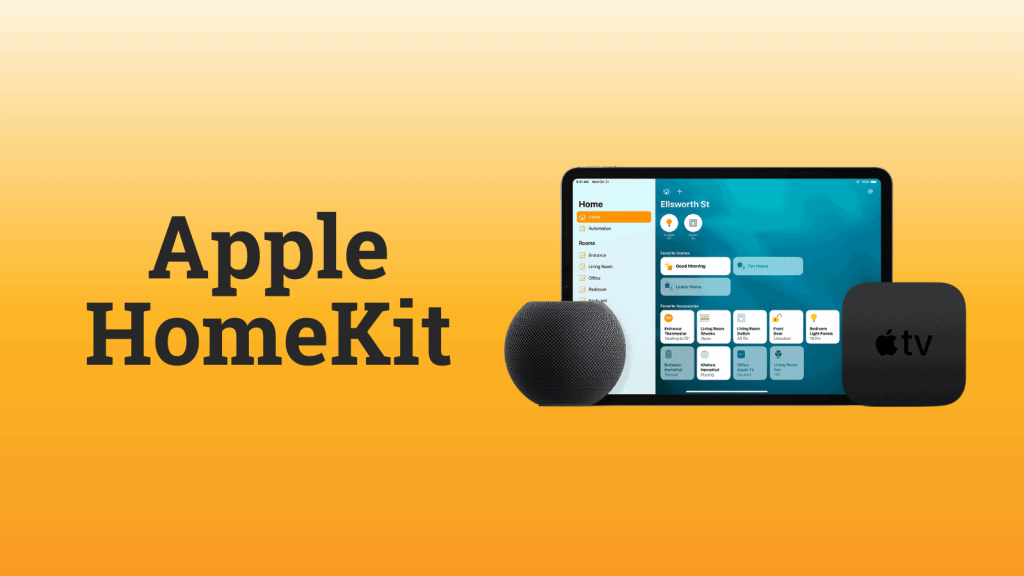
HomeKit is Apple’s smart home platform, connecting HomeKit-enabled smart accessories in a way that lets you operate them using apps on your iPhone or iPad or by commanding your virtual assistant Siri.
To get started:
- Buy a HomeKit-enabled device such as a smart plug and smart speaker.
- Open up the Home app (pre-installed on all iOS devices) and follow the prompts.
- Once you’ve created a “home” location in the Apple Home app, pair your smart accessories with the app via your iPhone or iPad.
HomeKit devices connect to the ecosystem through Bluetooth, WiFi, or a hub like Apple TV or a HomePod. While you do not need a hub to enjoy a HomeKit ecosystem, purchasing one or using an iPad or Apple TV at home will help you get the most out of your HomeKit.
Similar to Google’s Routines, the HomeKit allows you to create “scenes,” automating multiple devices at a set time. For example, a “good night” scene might include ensuring doors lock and the thermostat temperature goes down. Then, a “good morning” scene could involve unlocking the doors and increasing the thermostat temperature.
Currently, HomeKit isn’t compatible with as many devices as Google Assistant or Alexa. So as you shop, look for smart home accessories with a “Works with Apple HomeKit” label. However, one major bonus is HomeKit’s security — data is heavily encrypted, meaning better privacy and protection from potential hackers.
The Canadian Apple Store lists HomePod Minis at about $130.
#4. Samsung SmartThings
The Samsung SmartThings platform is an open ecosystem, meaning it is compatible with a wide range of connected devices — not just made by Samsung but many other manufacturers. Meanwhile, this ecosystem enables different devices to talk to and work together. So, if you have a smart door lock from one company and a smart bulb from another, you should be able to pair them both to SmartThings, so your light turns on as soon as you enter your home.
You can also connect a wide range of smart devices that are WiFi compatible through the SmartThings App, enabling you to control individual devices and group them in rooms. Meanwhile, the SmartThings Hub allows you to also connect wirelessly with Zigbee and Z-Wave devices — allowing all devices to speak the same language.
While a SmartThings hub is not necessary — it is advisable if you want Alexa or Google Assistant, accessories based on specific standards, or automation that work even when your internet is down.
While experts agree it’s not the most intuitive system on the market, they believe it is one of the most stable. So, if you have the will and the time to set up this ecosystem, you’ll be well rewarded with an excellent smart home.
So Many Choices! How Do You Decide?
As the saying goes, the world is your oyster — and finding the best smart home hub isn’t easy. But, when you find the right one and set it up correctly, the ecosystem you create will represent that proverbial pearl of seamless convenience. So which is the right one?
Inevitably, each ecosystem comes with its own strengths and weaknesses — but here are the top three things we consider essential:
- Checking out reviews from customers
- Considering your budget and the cost to create a compatible system
- Determining what products you already use and love at home would integrate seamlessly
In the meantime, keep returning to the Zolo blog for more content on setting up your smart home!