You did it! You survived house hunting, signed a mortgage or new lease, and are ready to move to your new digs—not to mention tap into the many benefits of smart home devices.
Smart devices offer convenience, time efficiency, cost savings, and peace of mind from lighting and door locks to entertainment, appliances, utilities, and more. In short, they make day-to-day life easier and more enjoyable. These many benefits combined with a global pandemic have led to a surge in smart home tech in Canada, with 35% of Canadians reporting to the Consumer Technology Association that they plan to buy smart home products soon.
Of course, the act of moving is not without its many what-ifs and complexities. So whether you’re hoping to take your smart home tech with you, inheriting smart devices in your move, or wish to try transforming your new haven into a connected home, here are a few tips to help you get planning—and packing, along with a downloadable checklist to help you keep your smart home tech organized during your move.
If You Want to Move Your Smart Devices to Your New Home

You love closing the window blinds using your phone, asking Alexa to dim the lights on movie night, and knowing the doors are set to lock every night before bedtime. So it makes sense that you would want to carry over those conveniences to your new home. But before you throw yourself headlong into a “must take all” approach, take these steps to determine whether taking all of your smart home devices is worthwhile:
Create an Inventory
Moving can be chaotic, so plan to get organized well before moving day. First, go through your entire current home and make a list of everything “smart”—like sensors, speakers, light bulbs and more. Next, note their product names, make and model numbers, manufacturers, and customer service contact information. Meanwhile, collect all the instruction manuals and auxiliary hardware in one place. If you can’t find a product manual, try Googling the product’s model number to find a digital copy.
Determine What You will Take—and What You’ll Leave Behind
You can easily remove and re-install many smart home devices including such as battery-operated devices, plug-in modules and thermostats. However, specific devices like lighting systems, thermostats, or automatic door locks may be more securely hard-wired into the house. These can be challenging to remove yourself, so you may need to pay a professional for their help. Keep in mind hard-wired devices might be chattels that you’ll need to leave behind, like appliances or light fixtures.
Check for Pre-Existing Smart Devices in Your New Home
Does your new home already come with smart tech? Reach out to the previous occupant for details. If your new space includes automation devices you already enjoy, it may not be practical to take them with you. Reaching out can also help you decide how to configure your new smart home setup before the actual move, especially regarding wiring and placement. You should also check whether the products in your new home are compatible with your existing smart home systems.
Transfer Your Leave-Behind Smart Devices to the Next Occupant
Provide the user manuals, customer support contact information, and anything else pertinent to your smart home devices for any tech you leave behind. For systems that are more complex, you may also need to relinquish the central hub that controls the systems. In this case, perform a factory reset on the devices, delete their apps from your phone, and cancel subscriptions.
If You Are Taking Ownership of Second-Hand Smart Home Devices in a New Home
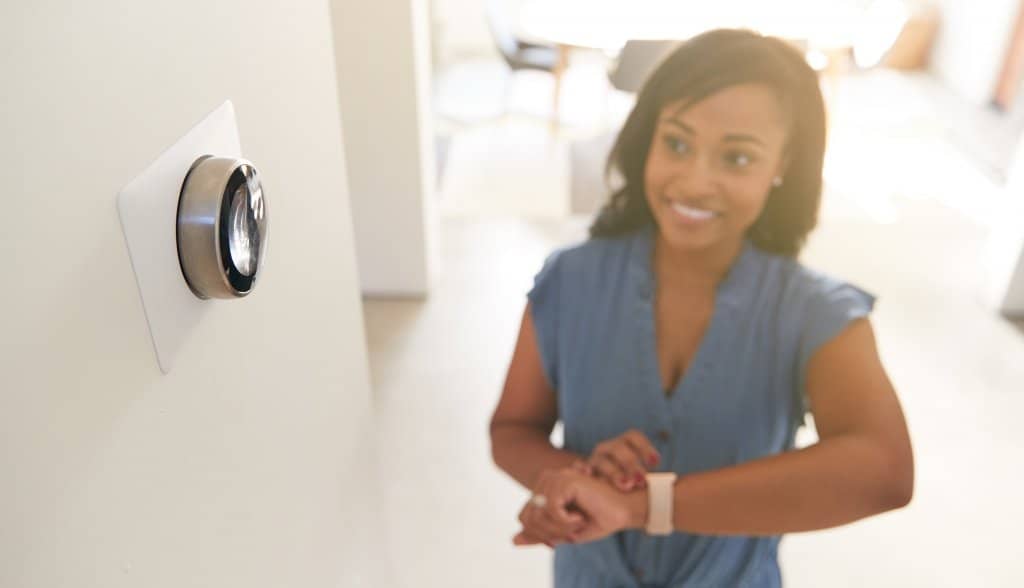
Whether you’re “inheriting” smart tech for the first time or combining your existing devices with those left behind in your new home, security and privacy should be top-of-mind. While some previous occupants will responsibly disable their access and provide all the information you need, it’s best to be proactive so you can ensure you have full digital ownership from day one.
Ask the Previous Owner to Log Out
You know what people say about assuming! Even if the previous occupants have no ulterior motives, they could forget to log out and then accidentally access your devices. To make doubly sure, you can request screenshots showing the successful log-outs.
Request Receipts, Paperwork, and Manuals
It’s helpful to have proof of purchase if any of your inherited smart devices needs repairing or replacing, especially if the devices are under warranty. You should also ask for the original manuals—and then keep them in a safe place for later.
Factory Reset Everything
Performing a factory reset is a good practice regardless, but it’s beneficial if you encounter roadblocks in the above steps. When your device reboots, it will be in an as-new condition, with no connection to the previous owner whatsoever. If you can’t find the reset button and don’t have the manual, Googling should yield instructions and how-to videos.
Log in and Connect to Apps
Once the previous occupant has logged out and you have factory-reset your smart home devices, it’s time to create your accounts and take full ownership! Once you have made your account, you’ll need to pair each device to the app via your smartphone. Now you can easily automate, manage, and monitor the goings-on at home—any time you want, no matter where you are.
If You Want to DIY Some Smart Tech for the First Time in Your New Home

Moving is a great time to turn over a new leaf and try new things. So why not use this opportunity to start building the foundation for a more innovative, connected home? Some aspects of home automation are pretty easy to do yourself if you keep the following in mind:
Invest in Excellent Wi-Fi
We cannot emphasize this enough! To make everything work, you need a solid Wi-Fi connection that reaches every part of your home. Whether or not your new gadgets work properly rests heavily on connectivity, so make sure there aren’t any dead zones. If a single Wi-Fi hub isn’t enough to provide a strong signal throughout your home, consider a mesh Wi-Fi system, which repeats and amplifies the signal to ensure complete coverage.
Start with One or Two Goals or Gadgets
Perhaps you want to bring down your electricity bills with a smart home thermostat. Or you love the idea of sensor lights turning on automatically when you enter a room. If you’re awed by the power of smart devices but not sure how to begin, choose one or two tasks to accomplish. Then, research devices with those particular features. Don’t get overwhelmed by the many options for whole-home hubs. You can always swap out your selections later as you learn more.
Get a Smart Home Hub
Managing multiple smart devices can be complicated, especially when you’re a newbie. A hub is a central device that enables diverse tech—even those from different manufacturers—to communicate and work together. A hub connects all your devices at one source and is controllable from your smartphone or by using voice commands. Not all hubs are equal, though—some have limited controls, features and device compatibility—so do your research before settling on one.
Keep Going
Over time, keep building on your smart tech investment—buying devices, installing and learning as you go. However, stay mindful of your budget and overall goals so you don’t end up spending money on unnecessary tech.
Home Sweet (And Smart) Home
The world of smart home technology is exciting, with ever-growing possibilities and combinations elevating everyday experiences at home. Despite the stresses a move may bring, following the tips and steps above should help ease your transition. You can relax and begin enjoying your new home and its tech quickly.